ThinClients
ThinClients
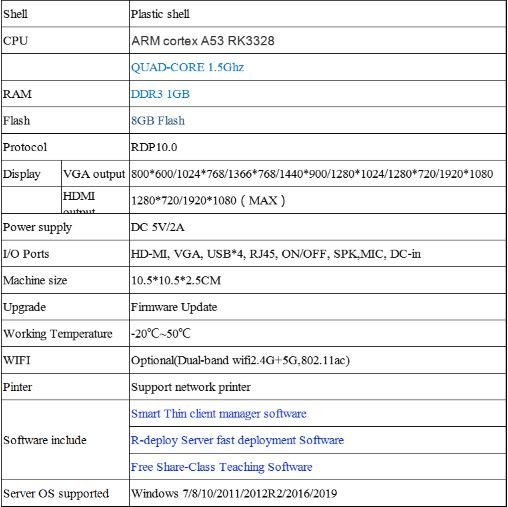
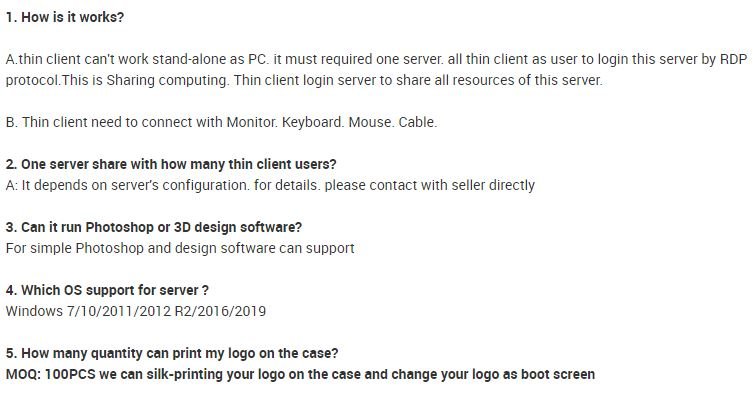
Veom Thinclients computing solutions are innovative desktop computing solutions that shift the traditional PC computing infrastructure to a centralized computing model. By using a zero client and thinclient computing solution, users replaces PC desktops or laptops with the access client devices, called zero or thin clients, to remotely connect to virtual desktops centrally hosted on the servers in the data center.
Benefits of ThinkClient
Key Benefits of using ThinClients
Share one PC with up to 99 users
- 1. Save upto 70% in capital costs, 95% in electricity costs, 90% in maintenance costs and 90% in future up-gradation
- 2. Unlimited concurrent video users with high quality graphics
- 3. Integrated tools for education – broadcasting and chatting
- 4. Deployment across the organization within hours
- 5. Enhanced security – avoid malware threats, desktop corruption and equipment theft
- 6. User friendly – easy to set up, maintain and manage
Reduce purchase costs
The initial acquisition costs are saved when replacing PCs with thinclients which cost less than half the price of entry-level PCs.
Central management
There is nothing for IT team to configure, manage, or update at the endpoint. All installations, patches & updates are done on the host. One IT staff can handle 5 times more devices and users compared to PCs.
Greater Energy Saving
The think clients consume only 5 watts and produce much less heat, providing at least an 80% saving in energy consumption and air conditioning over PCs
Eliminate virus infection
With no resident OS or storage capable of running software, the thinclient provides a completely secure endpoint that is immune to viruses or malware.
Remote support
IT and support staff can provide support or fix problems right from their desks, eliminating the costs and delays of having to travel to remote user locations.
Reduce downtime
With no failure-prone parts and desktop-related problems, unplanned endpoint downtime is greatly reduced. Even when a faulty thinclient shows up, it can be immediately replaced, helping the user get back to work in seconds.
File sharing
With some disks configured visible to all, users can share and store files easily on these public disks without the need to copy or transfer between desktops.
Desktop roaming
No time is wasted on moving a heavy laptop or rebooting the system. With a simple log-off and then log-in from any thinclient, the user’s back at his desktop with all open applications and files still in place.
Free desktop footprint
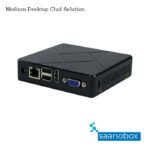
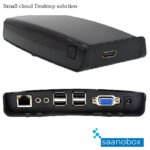
The thinclient is only a cellphone size and can be mounted on the back of the monitor to save valuable space on the desktop.
No risk of data lost
Since the thinclients cannot store any data locally, users are free of worrying about data loss caused by hardware failure or laptop/PC theft.
Security policies
IT staff can apply security policies, monitor and disable end users from logging in or lock-down locally connected USB peripherals, preventing users from copying confidential data to removable storage.
Less heat and e-waste
Consuming much less energy means that thinclient produces much less heat and e-waste when compared to standard PCs.
FL120N
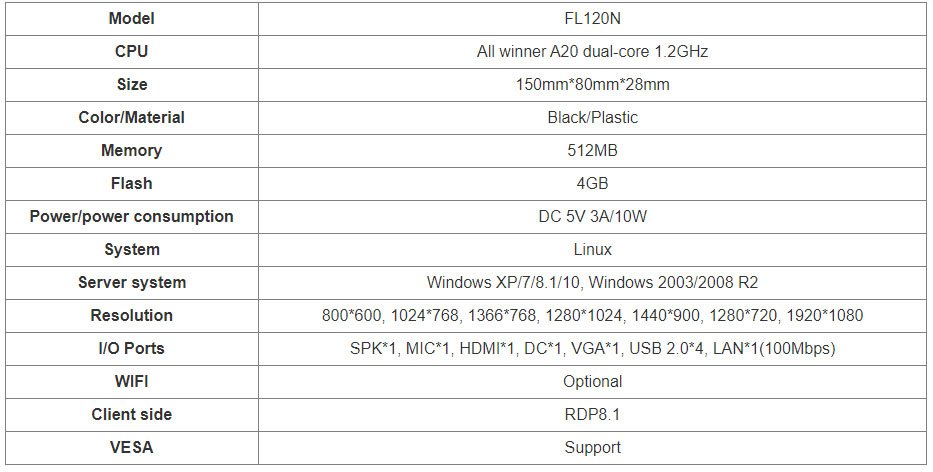
G4 ThinkClient